
Wells Fargo Credit Card Login: How to Get Into Your Account Without the Headache
-
 by
by
- in Technology

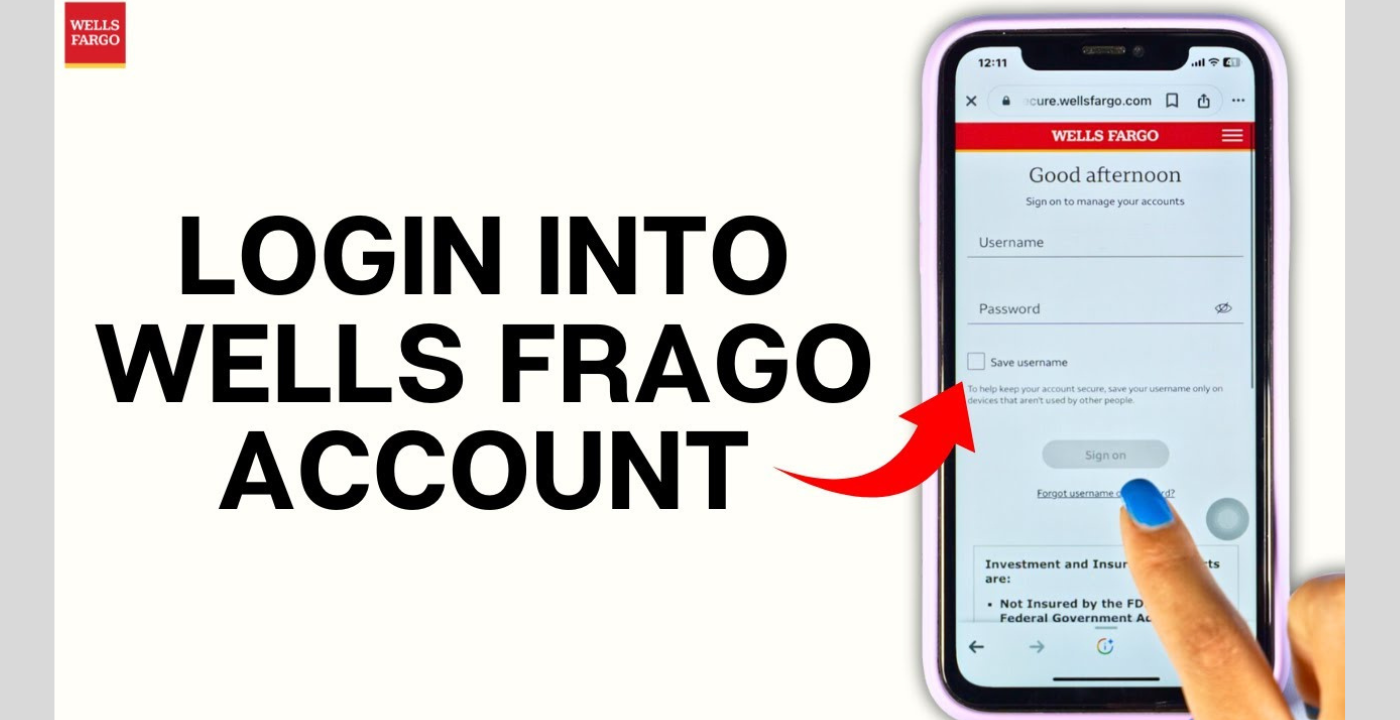
If you have a Wells Fargo credit card and need to check your balance or pay your bill online, the login process is pretty straightforward. Maybe you need to pay your bill. Or maybe you just want to see if that charge from last week actually went through. Whatever the reason, logging in is the first step, and honestly, it is pretty straightforward once someone shows you how.
The main place to do this is the Wells Fargo website or their mobile app. Both work fine. The website is wellsfargo.com and the app is called Wells Fargo Mobile. You can get it from the App Store or Google Play. Either way, you use the same username and password.
How to Log In to Your Wells Fargo Credit Card
If you are on a computer, open your browser and type in wellsfargo.com. Look at the top right of the page. You will see a button that says Sign On. Click that. It will take you to a page where you type your username and password. Then hit the Sign On button again and you are in. That is it.
On your phone, open the Wells Fargo Mobile app. Type in your username and password, then tap Sign On. If it is your first time using the app, it might ask if you want to set up Face ID or fingerprint login. I would say go ahead and do that. It saves you from typing your password every single time. Once you are in, your credit card balance usually shows up right on the home screen. Tap it if you want to see more details like your recent purchases or your payment due date.
What If You Never Signed Up Before?

You cannot log in if you never created an online account. A lot of people get confused by this. They think just having the card means they can log in. But no, you have to enroll first.
To do that, go to wellsfargo.com and look for a link that says Enroll. It is usually right near the Sign On box. Click it and follow the steps. They will ask for your credit card number, your Social Security Number, and your date of birth. This is just so they know it is really you.
Then you pick a username and a password. Try to make the password something you will remember but not something super easy to guess. After that, you might have to answer a few security questions. Pick questions with answers you actually remember, not ones you will forget in two months. Once you finish enrolling, you can log in right away.
Things You Can Do Once You Are Logged In
When you are already logged in.
You can check how much you owe and how much credit you have left. You can look at your statement to see every charge from the past month. You can download old statements if you need them for your records. You can pay your bill right there with a bank transfer. You can even set up AutoPay so your bill gets paid automatically every month. That is honestly the best thing to do if you are forgetful like me. You will never miss a due date again.
You can also set up alerts. Like if you want a text every time your card gets charged over a hundred bucks, you can do that. Or if you want an email reminding you that your payment is due in three days, that is an option too. These alerts are free and they really help you keep track of your spending.
If you lose your card or you think someone stole your wallet, you can lock the card instantly from the app or website. You do not have to call anyone and sit on hold. Just tap a button and the card is frozen. If you find it later, you can unlock it just as easily. You can also request a new card or ask for a credit limit increase if you need more room to spend.
And if you have one of their rewards cards, like the Active Cash card, you can see how much cash back you have earned and redeem it while you are logged in. No need to call or mail anything in.
When You Forget Your Password
It happens to the best of us. You go to log in and your mind goes blank. Did I use a capital letter? Did I add a number? Who knows.
Just click the link that says Forgot Password or Username on the login page. It will ask you some questions to prove you are you. Usually they want your card number or the last four digits of your Social Security Number. Then they will send you a reset link by email or text. Click the link, make a new password, and you are back in business. If you forgot your username too, there is a similar process to recover that. It only takes a few minutes.
If the Site or App Is Acting Up
Sometimes technology just does not cooperate. Maybe the website is loading slow. Maybe the app keeps crashing. Maybe you typed your password right but it still says it is wrong.
First, double check that you are on the real Wells Fargo site. The address should be wellsfargo.com. If it looks weird or has extra words in the address, do not type your password in. That could be a fake site trying to steal your info.
If the real site is just being slow, try clearing your browser history and cookies. That fixes a lot of weird loading issues. You can also try a different browser. If Chrome is acting up, try Safari or Edge. Sometimes one browser works better than another for no good reason.
If the app is giving you trouble, check if there is an update available. An old version of the app can cause all kinds of glitches. Update it, restart your phone, and try again. If it still does not work, delete the app and reinstall it. That sounds like a hassle but it usually fixes whatever is broken.
Keeping Your Account Safe

This part is important so do not skip it. Your credit card account has your money and your personal info. You do not want some random person getting in there.
Never save your password on a computer that other people use. If you log in at the library or on a friend’s laptop, make sure you log out when you are done. Do not check your balance while connected to free public WiFi at a coffee shop if you can help it. Use your phone’s data instead. It is safer.
Also, Wells Fargo will never email you or call you asking for your password. If someone does that, hang up or delete the email. It is a scam. If you are ever unsure, call the number on the back of your card and ask them directly.
Final Word
Logging into your Wells Fargo credit card account is not rocket science. Go to the website or open the app, type in your info, and you are good to go. If you have never enrolled, take five minutes to set up your online account. It is worth it. Once you are in, you can pay bills, check your balance, lock your card, and do pretty much everything without ever visiting a branch or waiting on hold. Just remember to keep your password safe and you will be all set.
Read More: What Is EnterTechPro and Why Do People Keep Using It?

No comment