

How to Stop Phone from Overheating: 10 Easy Fixes
-
 by
by
- in Featured Mobile Phone

There’s nothing more irritating than picking up the phone and finding it too hot to hold. An overheating phone, whether it’s due to slow performance or excessive battery drain or excessive heat radiating from the pocket, is a red flag that something needs to be done. Fortunately, there are a number of easy steps that can help you prevent your phone from getting hot, without the need for a trip to the repair shop.
What Causes Phones to Overheat?
It’s important to know what the typical problems are before attempting fixes. Phones tend to overheat when they are exposed to direct sunlight, are playing games or streaming videos, are charging while in use, have unnecessary background apps running, have an old battery, or have a defective/charger that has not been certified. Once you know what it is, it’s much easier to spot a solution.
How to Stop Phone from Overheating: 10 Practical Tips
1. Remove Your Phone Case While Charging
Heavy and bulky cases will retain heat. Removing it while charging allows heat to dissipate more quickly.
2. Keep Away From Direct Sunlight and Hot Cars
Even after a few minutes in a hot car, an internal temperature can rise to danger levels.
3. Close Background Apps
Background apps use up CPU and heat up. Regularly close apps you’re not using.
4. Lower Screen Brightness
When the screen is brighter, your phone has to exert more effort to show the brightness and creates more heat. Allow automatic brightness or manually decrease brightness if possible.
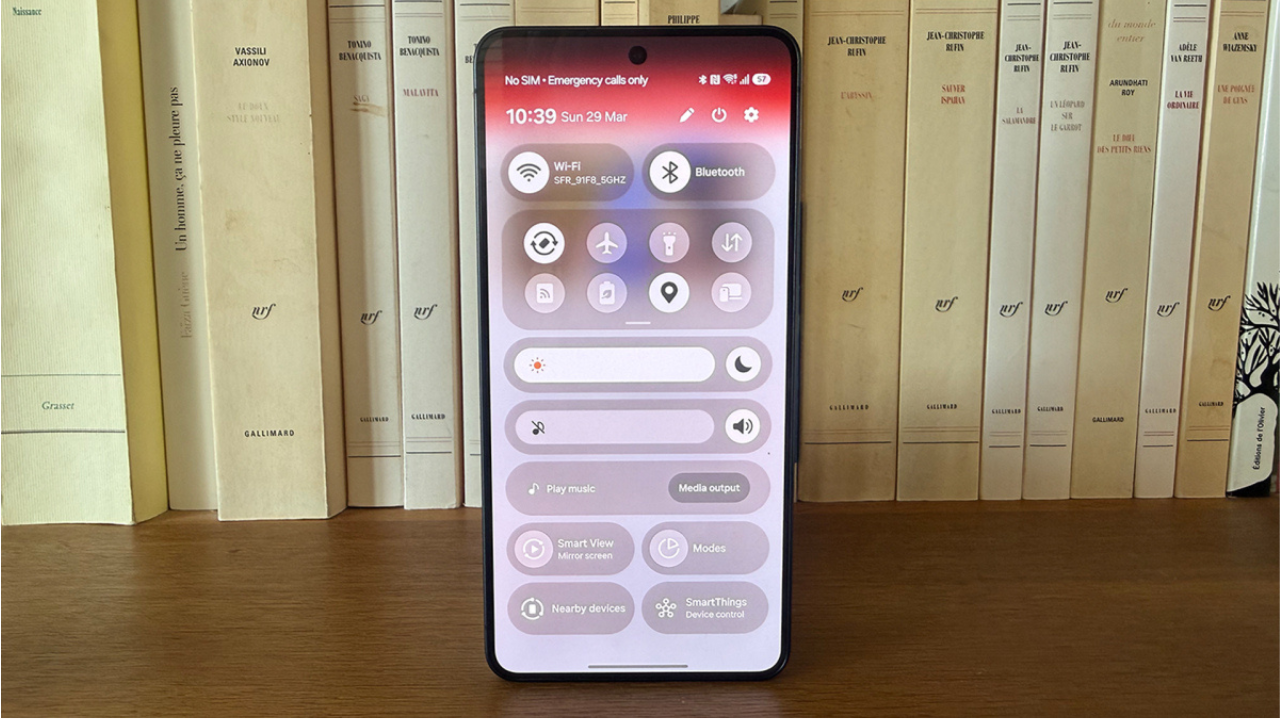
5. Turn Off Features Which Are Not Being Used
Continuously searching for bluetooth, GPS and Wi-Fi is a drain on the resources. Turn them off when they’re not being used.
6. Don’t Use Your Phone On Chargers While Charging
Gaming or streaming with “online” connected puts the battery and processor to work at the same time, creating unnecessary heat.
7. Update Your Apps and Software
Dated apps or systems frequently perform ineffectively. Periodic updates resolve bugs that may make your phone work overtime.
8. Use the Original or Certified Charger
Low quality third-party chargers can cause inconsistent power delivery, causing over heating. Always use a manufacturer’s charger or approved charger.
9. Turn on the phone often.
It fixes out-of-memory and hung processes that might be running in the background and causing your device to run hot.
10. Check Battery Health
One of the most common causes of battery overheating is its age or damage. Look at the battery health settings on your phone, and if it’s badly degraded, you may need to replace it.
Tips On When To Be Concerned About An Overheating Phone
Occasionally warm during charging/gaming is normal. If your phone is hot even when not being used, shuts off frequently, or if you see the battery has become swollen or smells burned, put the phone down and do not use it. If your phone still overheats after doing these things, it probably signifies that there’s something wrong with the hardware, and so you shouldn’t touch it.
Final Word
You don’t need to have an overheating phone as a constant headache. Some simple tweaks, such as controlling background apps, using approved chargers, and keeping it away from direct sunlight, can help to ensure your device stays cool, efficient, and long-lasting. Follow the tips below today and treat your phone to a lift.
FAQs
1.Does a cell phone get hot?
Yes, it’s perfectly fine if you feel warm while charging, playing games or doing video calls.
2.Does an overheated cell harm the battery?
Absolutely, overheating can cause battery degradation and shorten the battery life and capacity over time. In severe cases, it can even cause the battery to swell.
3.Why is my cell phone getting hot during charging?
This typically occurs when the phone is being used while it is charging (such as playing games or streaming on the phone).
4.Does a phone case cause overheating?
Yes, especially sturdy thick, non-breathable cases. They prevent heat from escaping the device naturally.
5.If my phone doesn’t turn off when it is hot, what should I do?
Try to power it off manually if possible, remove the case, and place it in a cool, shaded area. Don’t use it until it is completely cool.
Read More:FintechZoom.com: What It Actually Is and Whether You Should Trust It

No comment